Charles K. Millwood
A 19-year old running for New Hampshire public office learned the hard way about Internet safety rules. Seacoast Online reported that his opponents discovered images on his social media pages that were sexually suggestive of his past drug use. His political career was overthrown right away. Unfortunately, he’s not the only one. Others have been exposed to identity theft, scams and physical harm from the actions of others they met online. These risks are growing rapidly as more people access the Internet via mobile devices.
Apps are more prominent in online conversations than traditional websites, but that doesn’t mean the safety rules for internet surfing have changed. Hackers still look for personal information to access your bank and credit card information.
Unsafe surfing can also pose other dangers, such as embarrassing comments and images that are almost impossible to delete or getting mixed up in a web of people you would rather not have to interact with.
These are the Top 10 Internet Safety Rules to Follow to Help You Avoid Getting into Trouble Online (and Offline).
Keep Personal Information Professional and Limited
Potential customers and employers don’t need to know about your relationships or address them. They will need to know your professional expertise and how to contact you. Please don’t give out personal information to strangers, and don’t share it with millions online.
Protect Your Privacy Settings
Marketers and hackers love to learn all about you. Both can learn a lot about you from your social media and browsing habits. You have the power to control your data. Lifehacker has noted that both web browsers and mobile operating systems offer privacy settings to help protect your online privacy. Privacy-enhancing settings are also available on major websites, such as Facebook. Sometimes, these settings can be difficult to find as companies may want to use your data for marketing purposes. These privacy safeguards should be enabled and maintained.
Safe browsing
You wouldn’t walk through dangerous neighbourhoods. Don’t go online to visit them. Cybercriminals lure victims with lurid content. Cybercriminals know that people can be tempted by dubious content, and they may allow their guard to fall when they search for it. There are many pitfalls in the Internet’s maze. One-click could reveal personal data and infect your computer with malware. You can resist the temptation and give hackers no chance.
You must ensure that your internet connection is secure. Secure VPN Connection
PCMag points out that you don’t have any control over the security of your internet connection when you are in public places. Cybersecurity experts at corporates worry about “endpoints”, which are places where a private network connects with the outside world. Your local Internet connection is your vulnerable endpoint. You must ensure that your device is secure. If in doubt, wait until your device can connect to a secure Wi-Fi network before revealing sensitive information like your bank account number.
Use a secure VPN connection to enhance your Internet browsing security further. VPN allows you to establish a secure connection between your computer and an Internet server. This means that no one can access or monitor the data you exchange. Learn more about What’s VPN?
Take Care of What You Download
Cybercriminals have a top goal: to get you to download malware or programs or apps that can carry malware or steal your information. It can disguise itself as an app, and it can look anything you like. PCWorld recommends that you avoid downloading apps that appear suspicious or originate from a site you aren’t familiar with.
Use Strong Passwords
Although passwords are a major weakness in the entire Internet security system, there is no way to avoid them. The problem with passwords is that they are easy to forget (e.g. “password” or “123456”) and easy for cyber thieves. Choose strong passwords that are difficult for cybercriminals. Password manager software will help you manage multiple passwords to ensure you don’t forget them. Strong passwords are unique and complex. They should be at least 15 characters in length and include special characters, numbers, and letters.
Shop Online from Secure Sites
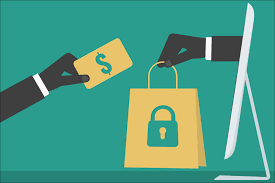
You will need to give your bank account and credit card information when you shop online. This is exactly what cybercriminals want. Only provide this information to secure and encrypted sites. You can identify secure websites by looking for addresses that start with http: (the secure_ symbol is used instead of http).
Take Care of What You Post
As the young candidate from New Hampshire discovered, there is no delete key on the Internet. A comment or image that you post online can stay there forever. You cannot “take back” an embarrassing comment you made at a party or a photo you took. You shouldn’t post anything online that your mom or potential employer wouldn’t approve of.
Take care of the people you meet online.
Sometimes, people you meet online may not be who they say they are. They may not be real. According to InfoWorld, hackers use fake social media profiles to scam unwary users and steal their money. As you would in your personal social life, be as careful and responsible online.
Keep your Antivirus Program up-to-date
While Internet security software can’t protect against all threats, it detects and eliminates most malware. However, it should be up-to-date. Keep up-to-date with the latest operating system updates and any updates for applications you use. They are a crucial layer of security.
These 10 Internet safety rules will help you avoid the unpleasant surprises that can lurk online for the unwary.