Charles K. Millwood
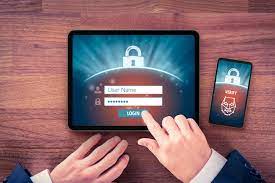
Cyber Monday was a huge day for online shopping. Nearly $8 billion was spent by consumers, with 54% of those purchases being made via smartphones. On Black Friday, online sales had surpassed $6 Billion.
Holidays are, naturally, the prime time to buy in general and are an extreme example of the amount of online shopping we do.
If you’re like most people, you can do a lot of your day-to-day shopping online. You don’t have to go to the store to wait in line. We can order the same item online and get it delivered to our doorstep in just a few days.
It is very convenient to shop online. It’s extremely convenient.
We open the possibility of:
- Malicious links, sites, and ads could infect your computer with viruses or malware.
- Scams. Bogus sales can con you into purchasing counterfeit/counterfeit goods or paying for items you won’t receive.
- Stolen account credentials. Your email account and password could have been compromised. Hackers can also access accounts if they have the same credentials used elsewhere.
- Financial information was stolen. Bank information and credit card information could give hackers complete access to your finances.
- Stolen identity. More personal information could be compromised, and you could become a victim of identity theft.
There are security best practices that you can use to reduce your risk.
Here are 7 top tips to help you shop safely online
Please consider these points before you make any online purchase.
Make sure you have the correct cardio to make your purchase, only use a credit that offers fraud protection. If your debit card is compromised, the hacker will directly access your entire bank account.
Also, you might check with your bank to see if they offer temporary credit cards that can be set to expire or a reloadable pre-paid credit card.
Keep track of all transactions, and check your statements regularly for unusual activity.
Only trustable, secure websites are recommended.
Amazon and other major retailers are generally safe. You should ensure that any website you purchase from has “http ” instead of “http” and a padlock icon to indicate it’s secured.
To find out what results from you get if you go to an unknown site to purchase something, try an internet search using the site name and “security” as keywords.
Secure internet connections are recommended.
Avoid purchasing over public WiFi if you can. Bad actors could intercept your connection and gain access to your information. Use a VPN to connect if you need to access public WiFi.
Only provide information that you are required to.
Don’t give your social security number to any online retailer. It’s likely a scam. They only need your name, address, and credit card information.
Do not use an important email address.
Set up a separate email address for your online shopping accounts, product registrations, and other correspondence. This way, hackers won’t be able to hack your email address or breach it if they get it from the site where you purchased it.
Strong passwords are recommended, and two-factor authentication is enabled.
This is a good practice for everyone. A password manager such as LastPass or DashLane is a good option if you struggle to remember passwords.
It may sound too good to be true.
Emails about incredible deals may be sent to you, and advertisements for them might appear on your social media accounts. It would be best to be cautious about all emails, as they may contain malware or be scams.